


Document Management#
Click
Resources.

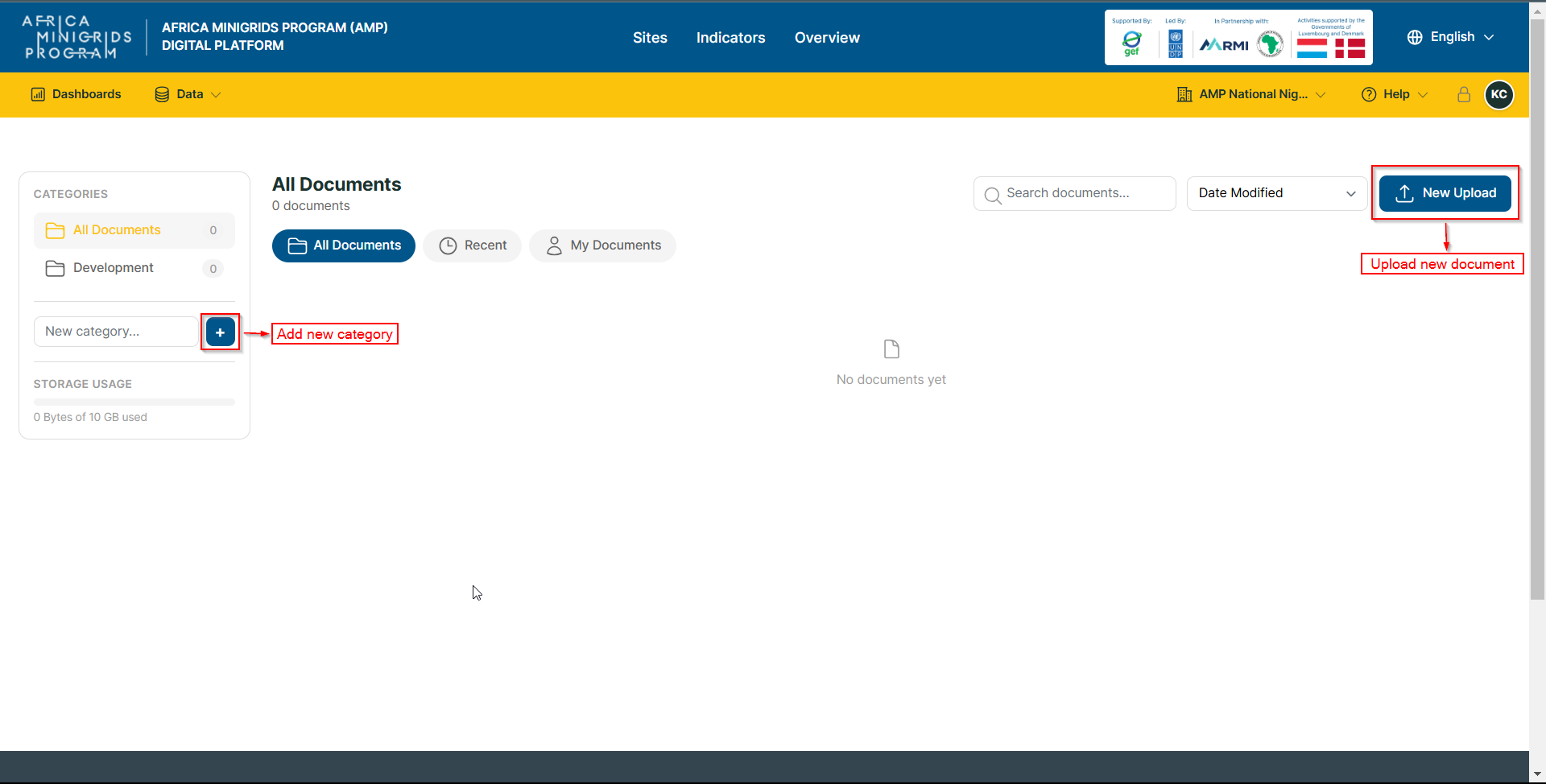
Click:
New upload: to upload a new document
New Category: to create a new category
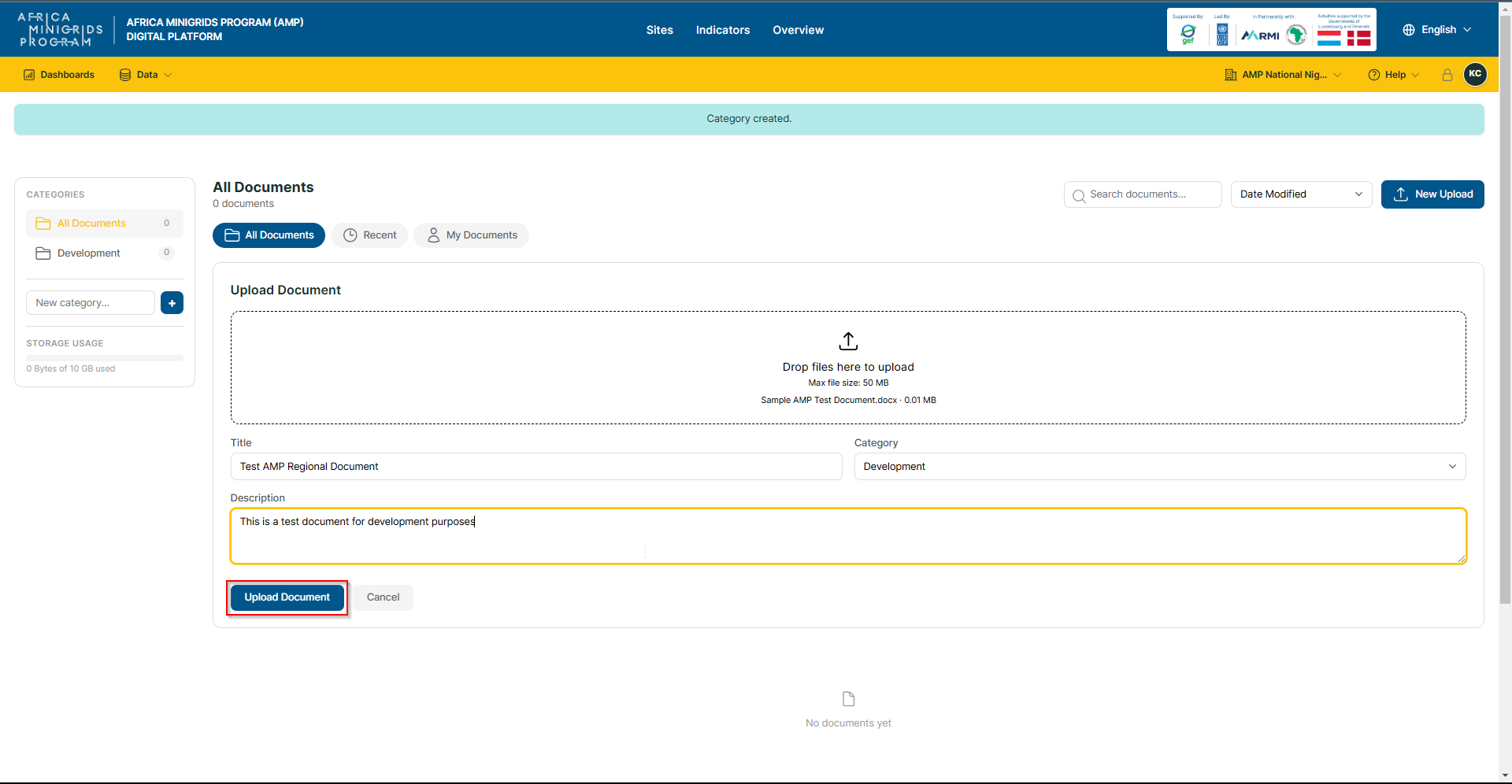
Fill in the document form, then click Upload Document to submit the document and its details.
- If the upload is successful, you will be redirected to the documents
page, where your document will appear among the documents on the page.
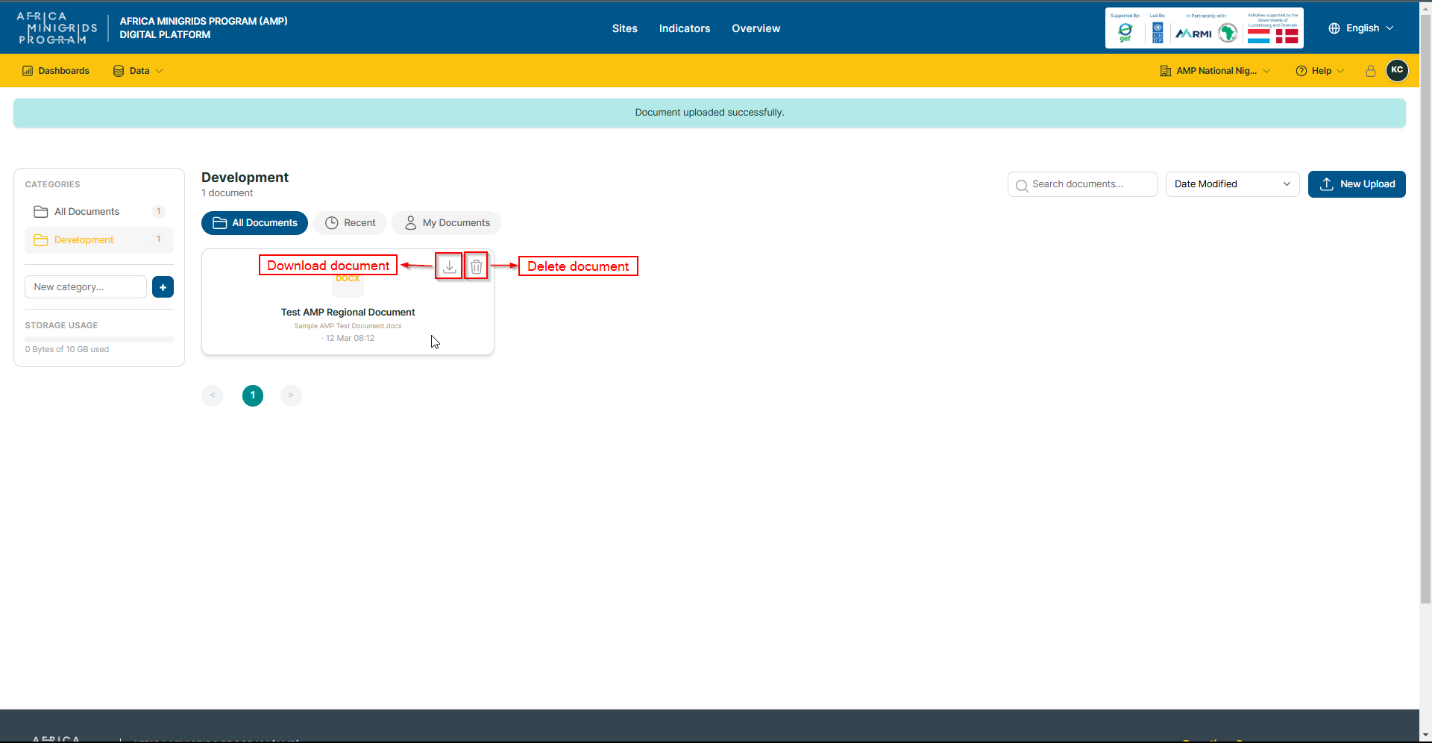
On the documents page, you can hover over a single document and click:
The Download icon to download a document
The Delete icon to delete a document